.NET Tools Stop Working When You Upgrade .NET
11 Aug 2026Overview ☀
I was doing some housekeeping on seedfolder, a small .NET global tool I
maintain that creates a project folder and fills it with sensible dotfiles. It
targets net8.0, net9.0 and net10.0.
.NET 8 and .NET 9 both reach end of support on 10 November 2026, so the plan was simple. Wait for November, drop both, ship a .NET 10 only version.
Then I asked myself a question I could not answer with any confidence, and the answer turned out to be the opposite of what I assumed.
The Question 🔍
Here is the scenario. A user installs the tool today while it targets .NET 10. Some months later .NET 11 lands. Homebrew upgrades them, or Windows Update does, and the .NET 10 runtime is no longer on their machine.
Does the tool still run?
My instinct said “add a global.json with roll-forward and it will be fine”.
That instinct was wrong twice over. Wrong about global.json, and wrong about
which half of the problem it applies to.
Why global.json Is The Wrong Tool ⚙️
global.json selects the SDK used when building a repository. It has
nothing to do with people who installed your tool from NuGet.
Worse, adding one cannot help even for the build. From the matching rules:
If no global.json file is found, or global.json doesn’t specify an SDK version and doesn’t specify an allowPrerelease value, the highest installed SDK version is used (equivalent to setting
rollForwardtolatestMajor).
Having no global.json is already the most permissive setting available. Adding
one can only narrow SDK selection, never widen it.
And there is a trap. If you add a global.json with a version and forget
rollForward, the default policy is patch. That file will break your build the
moment the pinned SDK disappears, which is exactly the failure people add a
global.json hoping to prevent.
So global.json earns its place when you want a reproducible floor for CI. It is
not a roll-forward mechanism.
The Half That Actually Matters 🎯
.NET tools are framework-dependent applications. When you run one, the host looks for the runtime the tool was built against. From the troubleshooting docs:
Roll-forward won’t occur by default in two common scenarios: … Only higher major versions of the runtime are available. Roll-forward doesn’t cross major version boundaries.
That is the whole problem in one sentence. Patch and minor roll-forward happen automatically. Major does not.
Reproducing It Today 🧪
I did not want to take the docs on faith, and I did not want to wait until .NET 11 ships to find out. So I built a proxy.
A tool targeting net8.0, running on a machine that has only the .NET 10
runtime, is structurally identical to a net10.0 tool on a future .NET 11 box.
Missing major, higher major available. Both exist today, so it is testable now.
Docker made this easy. The official SDK 10 image carries only the .NET 10 runtime:
docker run --rm mcr.microsoft.com/dotnet/sdk:10.0 dotnet --list-runtimes
Microsoft.AspNetCore.App 10.0.10 [/usr/share/dotnet/shared/Microsoft.AspNetCore.App]
Microsoft.NETCore.App 10.0.10 [/usr/share/dotnet/shared/Microsoft.NETCore.App]
No .NET 8 anywhere. Exactly the machine I needed.
The Test Script 📜
I copied the repo with git archive so the working tree was never touched, then
ran three cases in the container. Single-target net8.0, pack, install as a
global tool from a local folder, run it.
#!/bin/bash
set -u
cd /work
export PATH="$PATH:/root/.dotnet/tools"
CSPROJ=src/solrevdev.seedfolder.csproj

dotnet --list-runtimes

# Target the missing major. Use a version that cannot exist on nuget.org so the
# package can only resolve from the local folder.
sed -i 's|<TargetFrameworks>net8.0;net9.0;net10.0</TargetFrameworks>|<TargetFramework>net8.0</TargetFramework>|' "$CSPROJ"
sed -i 's|<Version>1.6.0</Version>|<Version>99.0.0</Version>|' "$CSPROJ"

run_case() {
    echo "---------- $1 ----------"
    rm -rf src/nupkg src/bin src/obj
    dotnet pack "$CSPROJ" -c Release -o /work/nupkg >/dev/null 2>&1

    grep -i "rollForward" src/bin/Release/net8.0/*.runtimeconfig.json \
        || echo "  (no rollForward key present)"

    dotnet tool uninstall -g solrevdev.seedfolder >/dev/null 2>&1
    dotnet tool install -g solrevdev.seedfolder --version 99.0.0 \
        --add-source /work/nupkg ${EXTRA_INSTALL_FLAGS:-} >/dev/null 2>&1

    if out=$(seedfolder --version 2>&1); then
        echo "  SUCCESS -> $out"
    else
        echo "  FAILED"
        echo "$out" | sed 's/^/    | /'
    fi
}

EXTRA_INSTALL_FLAGS=""
run_case "A: no RollForward"

EXTRA_INSTALL_FLAGS="--allow-roll-forward"
run_case "C: same tool, user opts in at install time"

EXTRA_INSTALL_FLAGS=""
sed -i 's|<LangVersion>latest</LangVersion>|<LangVersion>latest</LangVersion>\n    <RollForward>Major</RollForward>|' "$CSPROJ"
run_case "B: RollForward=Major baked in"
Run it against a checkout:
docker run --rm -v "$PWD:/work" -w /work mcr.microsoft.com/dotnet/sdk:10.0 bash /work/run-test.sh
The Results 📊
| Case | runtimeconfig.json | Result |
|---|---|---|
A. No RollForward |
no rollForward key |
Failed, exit 150 |
B. <RollForward>Major</RollForward> |
"rollForward": "Major" |
Worked |
C. Case A installed with --allow-roll-forward |
no rollForward key |
Worked |
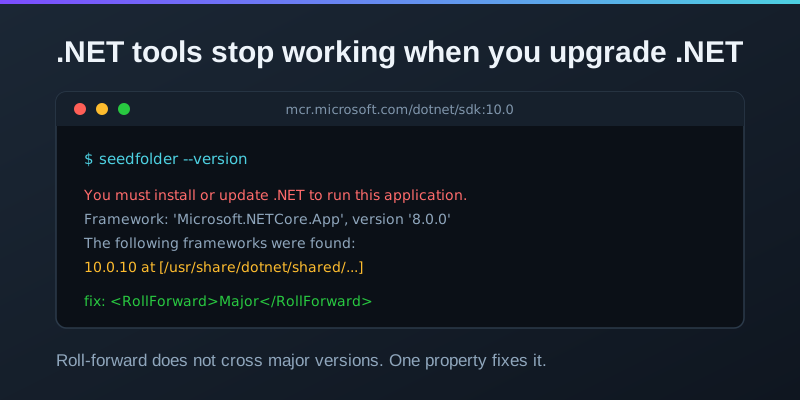
Case A is the one that matters. This is what a user sees:
You must install or update .NET to run this application.

App: /root/.dotnet/tools/seedfolder
Architecture: arm64
Framework: 'Microsoft.NETCore.App', version '8.0.0' (arm64)
.NET location: /usr/share/dotnet

The following frameworks were found:
  10.0.10 at [/usr/share/dotnet/shared/Microsoft.NETCore.App]

Learn more:
https://aka.ms/dotnet/app-launch-failed
A perfectly good runtime is sitting right there, listed in the error message, and the host refuses to use it. Not because it would not work, but because nobody told it that it was allowed to.
The Fix Is One Property 🔧
<PropertyGroup>
  <RollForward>Major</RollForward>
</PropertyGroup>
That writes the policy into the tool’s runtimeconfig.json at pack time:
{
  "runtimeOptions": {
    "tfm": "net8.0",
    "rollForward": "Major",
    "framework": {
      "name": "Microsoft.NETCore.App",
      "version": "8.0.0"
    }
  }
}
With that in place the same tool started immediately on the .NET 10 only box.
I did not stop at --version, because printing a version string proves very
little. I ran the tool properly and had it seed a real project:
seedfolder --quiet -t node my-app
Files created:
  .editorconfig
  .gitattributes
  .gitignore
  .prettierignore
  .prettierrc
  index.js
  package.json
Every file written, on a runtime two major versions newer than the one the tool was built for. Worth noting that it crossed two majors, 8 to 10, without complaint.
The Escape Hatch Users Have 🪜
Case C is the interesting one for anyone stuck with a tool whose author has not done this. Since the .NET 9 SDK there is an install-time flag:
dotnet tool install -g some.tool --allow-roll-forward
It sets roll-forward mode to Major for that tool without the author changing
anything. It works, and I confirmed it works. But it depends on the user knowing
the flag exists, at the exact moment their tool has stopped working and they are
already annoyed. That is not a plan, it is a rescue.
What I Am Changing 🛠
Two things, and only one of them is urgent.
The RollForward property goes in now. It is one line, it is backwards
compatible, and it helps immediately. Even while the tool multi-targets .NET 8, 9
and 10, a user on .NET 11 with none of those runtimes installed hits Case A
today.
The framework drop waits for November. When .NET 8 and 9 go out of support the
tool becomes .NET 10 only, and at that point RollForward stops being a nice
safety net and becomes the thing keeping the tool alive between LTS releases.
There is a real tension here that took me a moment to see. Dropping old target frameworks is normally framed as a maintenance win. For a global tool it is also a compatibility cliff, in both directions. Drop .NET 8 too early and you lock out users who have not upgraded. Ship .NET 10 only without roll-forward and you lock out the users who have.
What I Took Away 💡
Three things worth keeping.
Check which layer a setting applies to. I nearly reached for global.json
for a runtime problem. It is a build-time SDK selector. The names being similar,
rollForward in both places, made the confusion easy.
The permissive default is often the absence of the file. No global.json
already behaves like latestMajor. Adding configuration to get a behaviour you
already have is a good way to lose it.
Build the proxy rather than waiting for the real thing. I could not test .NET 11 because it does not exist yet. Testing .NET 8 against .NET 10 answered exactly the same question, today, in about twenty minutes and one container.
What Is Next 🔮
The property goes in with the next release. In November the target frameworks
collapse to net10.0 and the tool gets a version bump to match.
If you maintain a .NET global tool, this is worth thirty seconds of your time.
Open your csproj and look for RollForward. If it is not there, your tool will
stop working for somebody the day their machine moves on without you.
Success! 🎉